

Take a photo of the list.
The rest is done by AI.
Even handwritten, even in a hurry: Ordinoo reads it and turns it into lines ready to order, split by vendor.
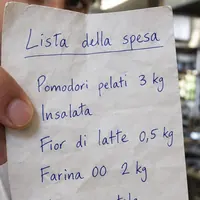 Photo of the noteHandwritten, photographed in the kitchenReading in progress
Everyone writes the list their own way.
On the back of a receipt, on a post-it, out loud on the phone. It all ends up in one place, always in the same format.
Three different lists, two duplicates and one item nobody will order.
The same shopping, in one single format: grouped by vendor and ready to send.
"flour 5 lb, tomatoes, corn"
Write the list the way you'd say it out loud, or dictate it while your hands are busy. Ordinoo separates each item and links it to the right product.
- One line, three items
Commas, quantities and units of measure recognized as you type.
- Products already in the catalog
Every item links to the right product, with its usual vendor.
You already have it in your hand: it's the camera.
No form to fill in at the computer. You frame the note on the prep table, snap, and the list is in the system before you take off your apron.
- Snap wherever you are
In the walk-in, at the counter, in the dry storage: the phone in your pocket is enough.
- It reads even difficult handwriting
Quantities and units of measure recognized line by line.
- It arrives already split by vendor
When you get back to the computer, the orders are ready to send.
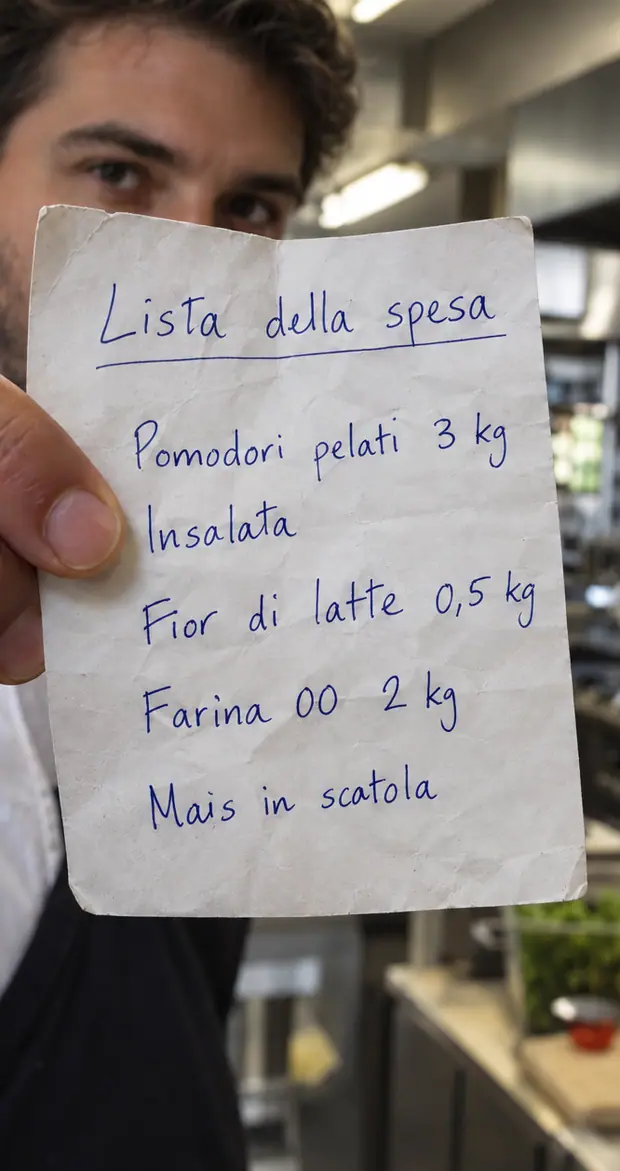 Keep the sheet inside the frame
Four things you no longer have to do.
Photo or free text, your choice
The photographed note and the line typed in a hurry end up in the same list.
Suggestions on what you usually order
What you buy every week is suggested by the agent, not by memory.
Grouped by vendor on its own
One send per vendor: no more one order per product.
History always at hand
You bring a past purchase back into the list with one tap, without rewriting it.
Try how fast making the shopping list is this way.
Bring us one of your real scraps of paper: we photograph it together and send it to your vendors. Free and no strings attached: if it's not for you, we'll tell you ourselves.
- We photograph a handwritten list
- You watch it become two ready orders
- You follow where it ends up in inventory